What is Vibe Coding?
Vibe Coding, literally translated as “atmosphere programming,” was first proposed by Andrej Karpathy, co-founder of OpenAI and former AI director at Tesla, in February 2025. In 2025, it was named the word of the year by Collins Dictionary, even surpassing the buzz around “AI” itself.
The core concept is simple: use natural language to describe intentions and let AI write the code, while humans are responsible for reviewing and guiding the process. Karpathy described it as:
“You are completely immersed in the vibe, forgetting the existence of code. You look at things, talk, run programs, copy and paste, and most of the time it just works.”
This might sound like a fantasy, but data shows that 92% of American developers have adopted some form of Vibe Coding. This is not a niche experiment; it is a transformation happening in the industry.
Three Core Elements
- Prompt-Driven: Developers describe “what they want” in natural language, focusing on intent rather than syntax. You don’t need to know how to implement it; you just need to clarify the goal.
- Multi-Agent Collaboration: Multiple AI roles, such as planners, coders, testers, and debuggers, work together to form a complete development pipeline.
- Backend Model Capability Boundaries: The complexity of problems Vibe Coding can solve directly depends on the AI model’s capability limits.
Three Generations of Programming Paradigms
Let’s rewind to the year 2000. Back then, writing code was an “exclusive skill” for programmers—requiring mastery of syntax, familiarity with APIs, and understanding framework details. Every character was typed by hand, and every bug had to be debugged by the programmer.
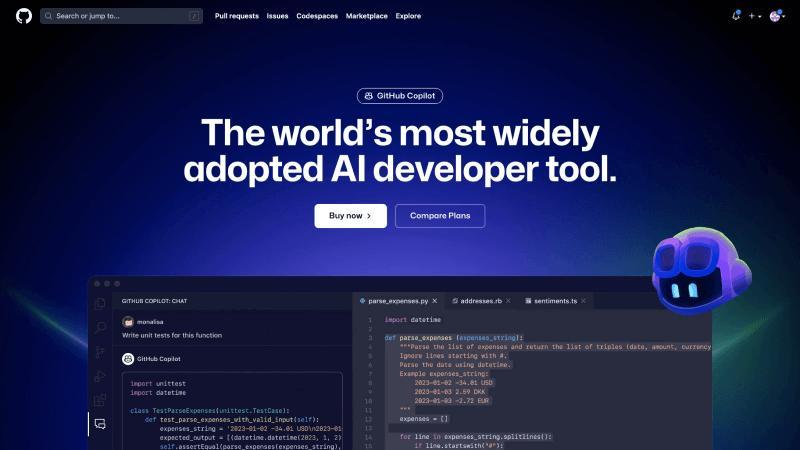
Then, AI-assisted programming tools emerged. GitHub Copilot came into play, automatically completing code snippets as you typed. However, at this stage, humans were still at the core, with AI as a co-pilot—you still needed to know how to write, just with less typing.
Vibe Coding represents a complete paradigm shift:
| Dimension | Traditional Manual Coding | AI-Assisted (Copilot) | Vibe Coding |
|---|---|---|---|
| Core Logic | Human defines requirements | Handwrite all code | Human leads the process |
| Human-Machine Roles | Human is the executor | Machine is a tool | Human is the decision-maker/director, AI is the execution partner |
| Skill Requirements | Proficient in syntax, API, framework details | Master coding, use AI for efficiency | Precise requirement breakdown, architectural thinking, code review |
In simple terms: traditional programming is “I teach you how to do it,” AI assistance is “you help me complete it,” while Vibe Coding is “you do it all for me.”
Why is it Gaining Popularity?
The rise of Vibe Coding is not coincidental; it is a result of multiple converging factors:
Efficiency Revolution
Prototype development efficiency has increased by 5-10 times, with over 70% of repetitive coding tasks handed over to AI. This means that what used to take a week to complete can now be done in just a few hours.
Predictions indicate that the global AI-assisted programming tools market will reach $8.5 billion by 2026. This is not a small-scale operation but a multi-billion dollar market.
Lower Barriers to Entry
In the past, “not knowing how to code” meant being out of reach of software development. Now, anyone who can clearly express their needs in natural language can potentially create a usable software product. The barrier to programming has shifted from “knowing how to write code” to “knowing how to communicate.”
Flow Experience
Traditional programming requires frequent context switching—writing code, checking documentation, debugging, etc. This fragmented thinking can be exhausting. Vibe Coding allows you to immerse yourself in the thought of “what you want” rather than the details of “how to implement it.” This flow experience is why many developers find it irresistible.
Mainstream Tools Overview
There are many tools for Vibe Coding, each with different positioning and applicable scenarios:
- Cursor ($20/month): The most mature AI code editor, with a “Composer” mode supporting multi-file generation and editing, suitable for deep users.
- Claude Code (CLI): Terminal-level AI programming assistant, suitable for complex tasks, supports file system operations.
- Trae (ByteDance, free): User-friendly in China, Chinese UI, completely free, the best cost-performance ratio.
- Lovable: Quickly generates UI + Supabase backend, suitable for full-stack prototypes.
- Bolt.new: Runs in the browser, the fastest from idea to prototype.
- v0 (Vercel): Focuses on UI component generation, designer-friendly.
- GitHub Copilot: The most widely adopted AI programming assistant with a mature ecosystem.
Recommendations
Beginners are recommended to start with Trae (free) or Bolt.new (browser access); experienced developers can try Cursor or Claude Code.
Quick Reference for Applicable Scenarios
✅ Highly Suitable: Rapid prototyping, repetitive development, generating test cases (saves 70% time)
⚡ Marginally Suitable: Ordinary component development, simple API integration (saves 50% time)
❌ Not Suitable: Complex business logic, performance optimization, architectural design, security-sensitive scenarios
Controversies and Risks: Critical Reflections Amidst the Excitement
Vibe Coding is not a silver bullet. Beneath its glow lie several risks.
“Spaghetti Code” Risk
The biggest issue with AI-generated code is: “as long as it runs, it’s fine.” It does not consider long-term maintainability, architectural elegance, or proactively optimize performance. As projects become more complex, these technical debts can snowball.
The controversy surrounding the 19,000-line PR in Node.js revolves around this—while the code was written by AI, the maintenance falls on humans.
Developer Skill Degradation
This is not an alarmist statement. A Japanese developer named Pia Torain shared her experience on Twitter: after using AI programming tools for four months, she found she had “lost the ability to write code.” Not that she couldn’t do it at all, but she was no longer accustomed to that way of thinking.
Over-reliance on AI completion may cause programmers to lose their “touch.” It’s akin to how people who use navigation apps may lose their ability to navigate independently.
Context Forgetting
AI models have context window limitations. As projects grow larger, the AI may “forget” previous settings, leading to inconsistent code styles and logical contradictions. This is particularly evident in large projects.
Security and Compliance
AI-generated code may contain security vulnerabilities and could involve copyright conflicts (since training data may include open-source code). Therefore, manual review remains essential before use.
How to Use Vibe Coding Correctly?
Renowned developer Simon Willison made a key distinction:
“Using LLM to build software without reviewing the code is what Vibe Coding is about.”
The difference lies in whether you are responsibly using AI assistance or blindly trusting AI.
Five-Step Workflow
1. Clearly Define Requirements
Use natural language to accurately describe what you want, including inputs, outputs, and edge cases.
2. Let AI Generate Code
Provide AI with sufficient information and context, stating specific requirements.
3. Manually Review Code
Check the logic, security, performance, and maintainability line by line.
4. Run Tests to Validate
Execute the code and verify if the output meets expectations.
5. Iterate and Optimize
Provide feedback to AI based on results, continuing adjustments until satisfied.
Core Principle: You are the director, not the audience. Every character generated by AI requires your review. Do not blindly copy and paste; the responsibility for the code always lies with you.
The Future of Programmers: Extinction or Evolution?
With every technological revolution, there are concerns that “some professions will disappear.” Did typists vanish? Did telephone operators disappear? Did carriage drivers disappear? The answer is: old professions will transform, and new professions will emerge.
The trend of Vibe Coding is clear: low-value “code typists” will disappear—those who repeatedly write similar code will be outperformed by AI.
At the same time, high-value “system architects” and “AI orchestrators” will become more scarce. Because:
- AI can generate code but cannot replace human business understanding and product thinking.
- AI can execute tasks but cannot make “should we do this” decisions.
- AI can optimize parts but cannot control overall architecture.
- AI-generated code still requires human review; only those who understand code can effectively review it.
The Ultimate Shift in Programming
In the future, the core capability of programming will shift from “how to implement” to “what to want.”
Developers need to upgrade their role positioning: from “code writers” to “intent architects” and “AI coaches.”
New Core Competencies:
- Precise requirement breakdown capability
- System architecture design thinking
- AI prompt engineering
- Code review and quality control
- Business understanding and product thinking
Vibe Coding is not the end of programming but a new starting point. It liberates human creativity, allowing us to focus on what truly matters—the way to solve problems, not the code that solves them.
In the face of this transformation, those who refuse to learn will be eliminated, and those who blindly worship will fall into traps. True experts will turn AI into their superpower while maintaining their ability to think independently.
After all, AI can write code for you, but it cannot think for you.
Comments
Discussion is powered by Giscus (GitHub Discussions). Add
repo,repoID,category, andcategoryIDunder[params.comments.giscus]inhugo.tomlusing the values from the Giscus setup tool.